
Where to Find What You Need in Ovatu

Nancy
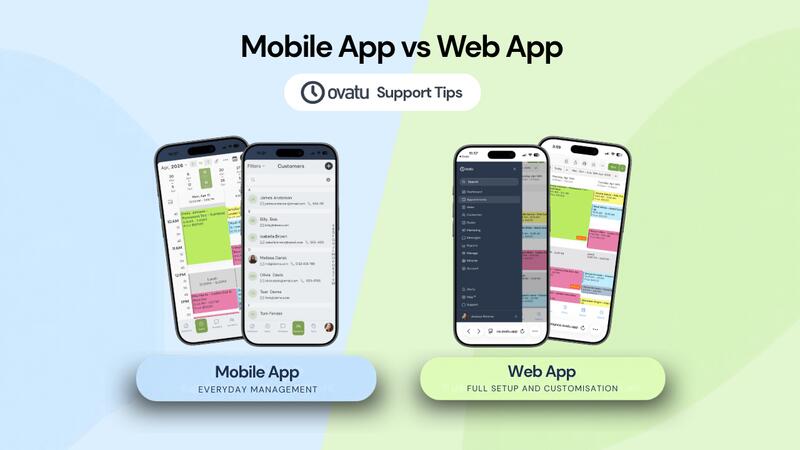
Ovatu’s Mobile and Web Apps are designed slightly differently. While you can manage most everyday tasks from either, some of the more advanced settings and customisation options are only available on the Web App.
Here’s what you need to know.
Mobile App vs Web App
The Ovatu Mobile App is designed to make managing your business quick and easy. It’s ideal for everyday tasks like checking your calendar, managing appointments, accessing customer information and taking payments.

For everyday business management, the Mobile App gives you quick and convenient access to the tools you use most.
The Ovatu Web App (our web browser version) gives you access to Ovatu’s full range of features and settings. It’s where you’ll find more advanced setup and customisation options.

When you need to dig a little deeper into your setup or settings, head to the Web App.
An easy way to think about it is:
Mobile App = everyday management
Web App = everyday management + full setup and settings
Both connect to the same Ovatu account, so any changes you make will be reflected across Ovatu.
Why are some settings only available on the Web App?
Ovatu has a lot of features and settings. Keeping some of the more advanced options in the Web App helps keep the Mobile App simple and easy to navigate while you’re working.
You may need to head to the Web App when looking for things like:
- Online Booking settings and preferences
- Employee roles and permissions
- Account and integration settings
- Advanced service settings
- Business settings and customisation options
So, if you’re following one of our Help Guides and can’t see the setting it mentions, check whether you’re using the Mobile App. The option you need may be in the Web App.
How to open the Web App from your mobile
You don’t need to grab your computer every time you need a web-only setting.
You can open the Web App directly from your Ovatu Mobile App.
Simply go to:
Avatar → Manage → Open Web App
The full Web App will open in your browser, where you can find the additional settings and options you need.

And if you’re ever unsure where to find something, our Help Guides can point you in the right direction.
We use cookies, including third party cookies, for operational purposes, statistical analyses, to personalize your experience, provide you with targeted content tailored to your interests and to analyze the performance of our advertising campaigns.